

Travel used to start with a suitcase. But today, everything has changed. Travel starts with an iPhone. Your iPhone stores boarding passes and hotel reservations, bank cards, and photos of documents. It also holds your itineraries and messages from loved ones. If the device is lost, compromised, or stolen, the inconvenience quickly turns into real stress. That is why digital security has become just as important as insurance or checking your passport before departure. This is especially true in popular tourist destinations. In particular, in Italy. Here, millions of people use train stations and airports, subways, and crowded historic centers every year. In crowded places, the risks aren’t limited to pickpocketing. They also include connecting to unsafe Wi-Fi networks, losing access to important accounts, or falling victim to phishing messages.

Prepare Your iPhone Before You Leave
Start protecting your device before you cross the border:
- System updates often patch known vulnerabilities. So, update iOS to the latest version.
- Enable Face ID or a strong passcode.
- Enable Find My. That way, you’ll be able to locate, lock, or erase your device remotely.
That’s the bare minimum for iPhone security while traveling. Yet many people put it off until the last minute. Check if you have a backup on your computer or in iCloud. If you lose your phone in Milan, Rome, or anywhere else in the world, restoring your data will save you time and stress. While preparing, familiarize yourself with what typical scam alerts look like. The well-known cybersecurity blog Moonlock, which is also an antivirus solution for Mac, explains that genuine Apple notifications rarely appear as intrusive pop-ups. Fake messages, on the other hand, often play on fear and a sense of urgency. If you see a suspicious “security alert” while traveling, follow clear instructions to avoid clicking on a malicious link. And minimize your digital footprint on the go. Don’t store extra copies of documents in your gallery. Instead, use secure notes or a password manager.
Don’t forget to delete scans of cards and files you don’t need during your trip. The less sensitive data on your phone, the lower the risk if you lose it.
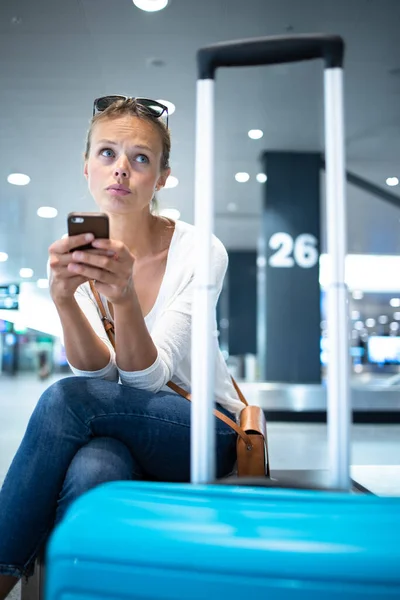
Italy and Abroad. Secure Internet Connections
Free Wi-Fi in public places is convenient, but not always secure. In tourist hotspots like Florence, Venice, or Naples, open networks are often used by thousands of people every day. Practical travel safety tips abroad that don’t require extra expenses:
- Avoid logging into banking or work accounts via unsecured access points.
- If you need to connect, check the exact network name with the venue’s staff.
- Turn off automatic Wi-Fi and Bluetooth connections.
Charging stations
Be wary of charging stations. In public places, it’s better to use your own adapter and cable. The most reliable option is a power bank. It’s convenient and safer than random USB ports.

Protect not only your data, but the device itself
Smartphones are most often lost not because of hackers, but due to simple theft or carelessness. In Rome, Barcelona, or Bangkok, the scenario is the same. Namely: a tourist gets distracted by a photo, a message, or a map, and the phone is left unattended.
- Don’t put your iPhone in an open outer pocket of your backpack or in your back pocket.
- On trains and in waiting rooms, keep your device in an inner pocket of your bag.
- In restaurants, don’t leave it on the table near the edge.
These are simple rules for protecting your belongings while traveling that actually work.
Travel and Fraud Detection
When traveling, people are often in a hurry and check messages on the go. That’s why scammers actively use:
- phishing SMS messages,
- emails about supposedly canceled reservations,
- so-called “payment issues.”
Check the website address before logging into your account. Do not click on links in unexpected messages.
If a hotel or airline truly needs you to take action, you’ll usually see it in their official app or user dashboard. This is a key part of digital safety for travelers.
QR codes are convenient for everything, but tampered stickers do happen. If a code is stuck over another one or looks suspicious, it’s better to enter the address manually.
Useful habits that work anywhere
- Use two-factor authentication.
- Turn on bank transaction notifications.
- Check roaming and eSIM options before your trip. This way, you won’t have to rely on random Wi-Fi right after you arrive.
- Keep a backup card and a list of emergency contacts separate.
If you’re traveling to Italy, be sure to download offline city maps and tickets in the official carrier apps in advance.
Conclusion
Modern travel requires a smart approach to digital risks. A secure iPhone helps you maintain access to your documents, money, and communication exactly when you need it most. A few simple steps can prevent major problems. Travel light but travel smart. Remember that security starts with the small things.
Subscribe to our Free Newsletter
Subscribe to get the latest news, updates, and invitations.
Discover more from MilanoStyle.com
Subscribe to get the latest posts sent to your email.
